
Product capabilities

One workspace from geometry to machine motion

Cadivari connects the stages that are often split across unrelated tools, while keeping each stage clear enough to inspect on its own.

Make it yours

One workspace
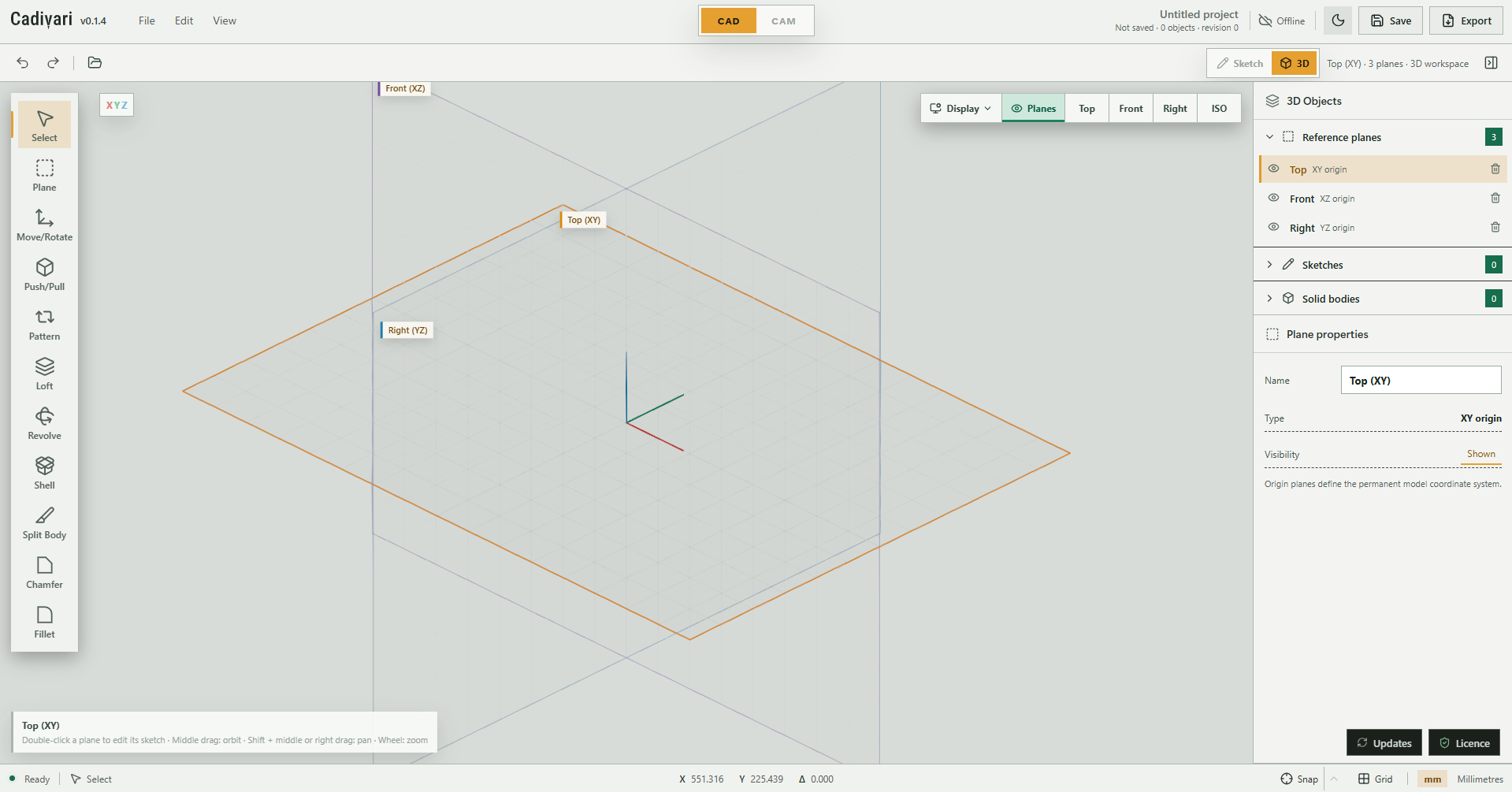
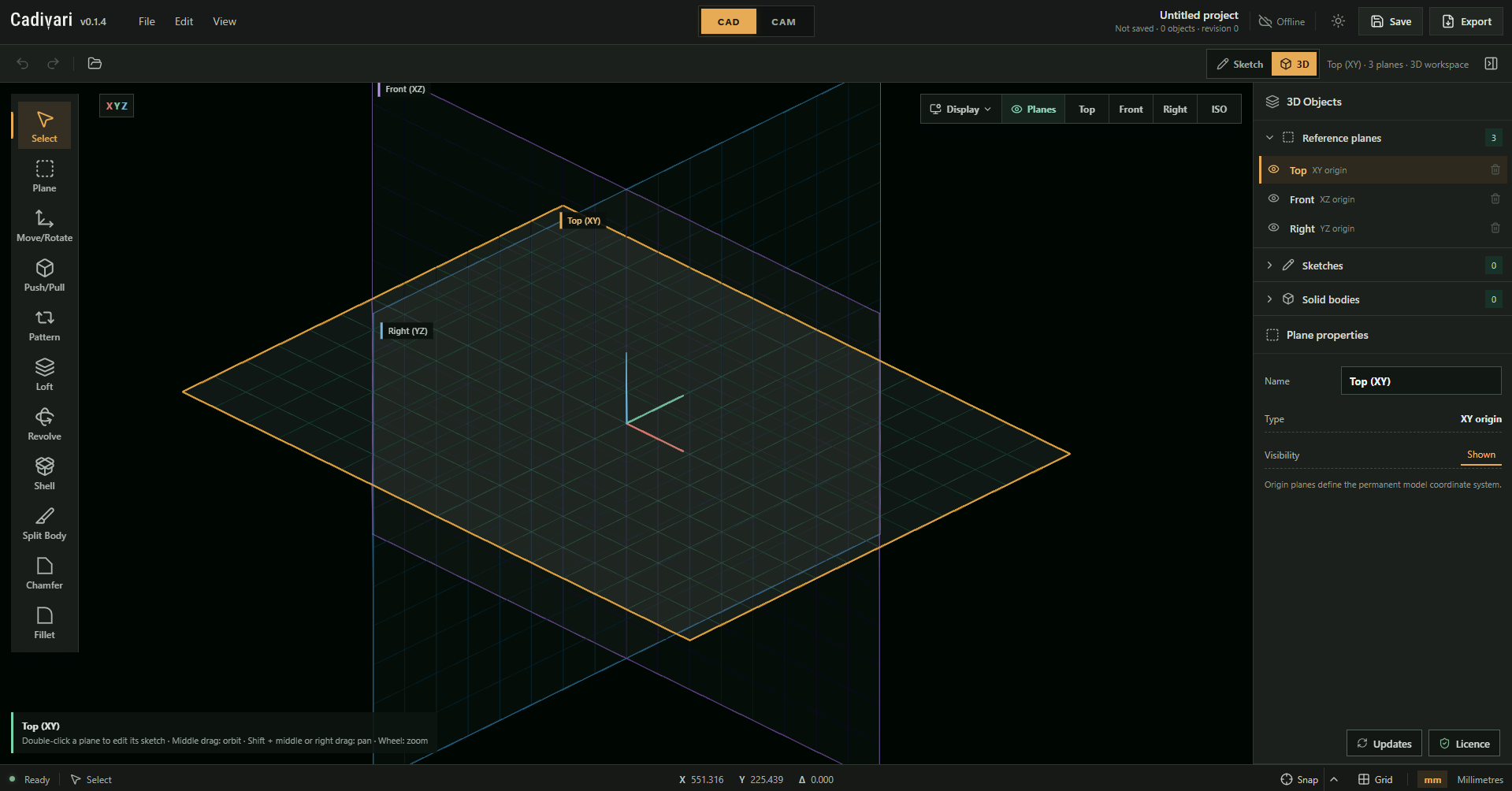
Dark or light

Choose the view that suits your space. The same geometry, the same tools, in two carefully considered modes.

Cadivari in light mode, with a pale workspace, 3D reference planes and the modelling tools and properties panels.The same Cadivari workspace in dark mode, with bright reference planes against a dark canvas and dark tool panels.
Two modes. One familiar workspace.

New in 0.3.0: solid models meet CAM. Select machining faces, rough the stock and finish curved surfaces. See the illustrated release notes →

01 / In the workspace

Vector drawing

Precise, millimetre-native geometry that is pleasant to shape and dependable downstream.

Inside Cadivari

The building blocks of your drawing

Draw straight lines, exact rectangles and circles, then add arcs, flowing splines and outlined text in the same millimetre-based workspace. The object list keeps each part of the drawing within reach.

Vector drawing / 1 of 6
Cadivari 0.1.4 showing a line, rectangle, circle, arc, spline and outlined Cadivari Text on the sketch grid, with drawing tools and the object list visible.
02 / In the workspace

3D modelling

Build solids from sketches while retaining an understandable connection to their source geometry.

Inside Cadivari

Place your sketches in 3D space

Build your model from sketches on origin planes, offset planes or planar faces. This view shows the Top, Front and Right origin planes, with a plate outline and circular profiles positioned on different planes before creating solid features.

3D modelling / 1 of 8
Cadivari in the 3D workspace showing the Top, Front and Right origin planes, a horizontal plate sketch with four circular holes, and a circle on a vertical plane. The Right plane is selected.
03 / In the workspace

CAM

Machine sketches and solid bodies with face selection, layered roughing, ball-nose finishing and remaining-stock comparison.

Inside Cadivari

Set up your stock and cutters

Define stock dimensions and job zero, then choose a cutter from the reusable library. Here, the library shows a 6.35 mm flat end mill with its diameter, flute count and cutting style, alongside the stock setup. Duplicate a built-in tool to customise it and save it for future projects.

CAM / 1 of 6
Cadivari CAM with the Tool library open and a 6.35 mm flat end mill selected. Its specifications and dimensioned cutter illustration appear beside the built-in tool list, with stock dimensions and setup controls visible behind the dialog.
04 / In the workspace

Carving and artwork

Turn typography and supplied artwork into inspectable engraving geometry.

Inside Cadivari

Trace lettering and paths with a V-bit

Engrave text outlines and drawing paths at a chosen depth. This material preview shows a 60-degree V-bit tracing the lettering at 0.5 mm depth, with the resulting groove width displayed beside the operation. Follow the cutter through playback to inspect how each stroke shapes the material.

  • Text and artwork placement in CAD
Carving and artwork / 1 of 6
Cadivari CAM Material simulation showing a cutter engraving letter outlines into brown stock at 45% playback. The operation panel shows a 60-degree V-bit, 0.500 mm cutting depth and 0.677 mm engraved width.
05 / In the workspace

Craft toolsets

Focused design systems live inside the larger CAD/CAM environment, rather than replacing it.

Inside Cadivari

Build a rosette one band at a time

Combine independent mosaic bands with measured veneer strips, then reorder them while the live installation preview updates around the soundhole. This design uses green and light veneers between patterned bands, forming a 15-band stack with a total radial width of 18.50 mm.

Craft toolsets / 1 of 6
Cadivari Rosette Designer showing an ordered list of mosaic bands and green and light veneer strips beside a close-up installation preview on a spruce soundboard. Mosaic band 1 is selected, and the preview reports 15 bands and an 18.50 mm total width.
06

Local ownership

The application and the work it produces remain useful without depending on an online service.

  • No permanent internet connection
  • Local project files
  • Perpetual licence model
  • One year of updates included
  • Standard SVG, PDF and G-code outputs
  • No forced cloud storage
Built for the whole process

Specialist where it matters
General where it counts

Cadivari can help design a classical-guitar rosette, but it is not limited to lutherie. The same vector, solid and CAM foundations apply to furniture, templates, signs, fixtures, prototypes and workshop tooling.

View the perpetual licence